

Home Office Coffee Mug Desk Setup: 7 Things Buyers Should Compare
Reading time: about 8 minutes
The emails that follow a desk-mug order almost never ask about color. They ask about consequences. One customer wrote to us after a tall mug met a flick of the mouse hand — the mug survived, the laptop keyboard did not, and the entire conversation was about placement, not glaze. That is the right instinct. A home office coffee mug desk setup is a small system: mug, spot, heat plan, coaster, spill path. Compare the pieces before you buy and you skip the ring-stained desk and the dunked cable.
We pack and ship mugs every day, and desk questions reach our inbox constantly, so this is the comparison we would walk you through in our store: placement first, then heat, footprint, spills, surface protection, and the food-safety rule nearly everyone skips.
Where should a coffee mug sit in a home office coffee mug desk setup?
Placement decides most of your risk before the mug is ever full. A cup inside your elbow's sweep path gets hit eventually — usually mid-reach for a phone. These rules come straight from years of spilled-coffee emails:
- Forearm reach, non-dominant side. Reachable without leaning or standing, and opposite your mouse hand so an arm sweep can't clip it.
- A hand's width from the keyboard edge — and never behind an open laptop hinge, where one nudge tips liquid straight into the vents.
- Off the cable run. No mug beside a power strip or over a cable crossing the desk; liquid and electricity shouldn't share a corner.
- Same spot every day. A fixed coffee corner builds the return-the-mug habit, which prevents more spills than any product feature will.
Our store rule after years of shipping desk mugs: a mug that always lives in the same safe spot outperforms a spill-proof mug that wanders.
Standing desks add one check: the mug must clear the monitor arm and anything wall-mounted at both seated and standing heights. If you're still choosing shapes, browsing our unique coffee mugs collection is the easiest way to shortlist profiles before you commit to a spot.
Which mug keeps coffee hot through a morning of meetings?
Heat is where most desk setups quietly disappoint. Coffee brewed at 7 a.m. is lukewarm by your second call in an open mug, and the fix you choose shapes the whole corner:
| Approach | What it does well | Trade-off | Best fit |
|---|---|---|---|
| Preheated open mug | Full aroma, easy refills, microwave reheat | Cools during the first stretch of the session | Slow sippers who don't mind refilling |
| Vacuum-insulated tumbler | Holds heat longest; lid cuts splash risk | Hides the coffee level; most aren't microwave-safe | Long calls where you sip late |
| Warmer plate plus mug | Holds serving temperature through refills | Slowly pushes coffee toward bitterness; needs an outlet | All-morning desk dwellers |
| Heated smart mug | Set-and-hold temperature control | Costs more; capacity tends to run small | Temperature-sensitive drinkers |
Two notes from real customer questions. First, preheating any open mug with hot tap water for a minute before you pour buys real drinking time — the cheapest upgrade on this list. Second, the warmer route demands a matched pair: warmer plates list a maximum cup diameter, and not every mug is rated for contact with a warming surface, so verify both on the listings rather than assuming. If the ritual of an open mug wins, a round shape like our Round Coffee Tea Mug is the classic desk-mug starting point — and we compare materials at length in our guide to the best ceramic mug for a home office desk coffee setup.
How much desk space does a coffee corner actually need?
Footprint is more than base diameter. Measure three circles before you order: the mug's base, the handle swing (a C-handle adds real width to the overall footprint), and the coaster or tray underneath. On a desk already hosting a monitor arm, those three circles decide whether the corner works.
Shape changes the math. A tall profile spends less desk surface for the same capacity — that's the whole appeal of mugs like our Landscape Tall Coffee Tea Mug on narrow desks and standing-desk edges — but the trade-off is a higher center of gravity, so it wants a calm corner away from elbows. A rounder, squatter shape sits steadier, at the cost of more surface claimed. Capacity is the other half: bigger means fewer refill trips but more weight if it tips. We put capacities side by side in our comparison of 12 vs 16 vs 20 oz desk mugs — and we will always tell you to confirm exact dimensions on the current listing, because product photos flatter.
How do you keep desk coffee out of your keyboard?
Spill protection is mostly placement, partly design. Beyond the rules above, three habits cover the rest:
- Move the mug before you reach. Most keyboard disasters happen when someone stretches across the desk for a phone or notebook. The mug goes first.
- Give electronics a wide, stable neighbor. A low, broad shape resists nudges far better than a tall, narrow one — save tall profiles for the calm side of the desk.
- Consider a lid on meeting-heavy days. A lidded or travel-style mug cuts splash risk over a keyboard dramatically; the cost is aroma and slow-sip pleasure, which is why our own morning cups stay open.
One honest limitation: no open mug is spill-proof. If your desk holds an employer-issued laptop you can't replace, a true travel lid — or moving the coffee off the desk entirely — beats any open mug, ours included.
What does a home office coffee mug desk setup need besides the mug?
Accessories decide whether the corner stays clean for a year or looks tired in a month. In our experience, four comparisons are worth making before you spend anything:
- Coaster material. Cork is thin, grippy, and cheap. Silicone is waterproof and easy to wash but can trap moisture against the desk — lift and wipe underneath occasionally. Absorbent stone catches drips well but holds that moisture, so dry stone coasters before stacking; damp resting on a wood finish is how rings start.
- A tray or corner organizer. It defines the coffee zone and contains small drips, which matters most on laminate and painted finishes where rings show fastest.
- Clamp-on or under-desk holders. Genuine space savers on standing desks, but check the clamp depth against your desktop thickness and picture a full mug swinging as the desk moves — plenty of people reserve these for the seated position only.
- A powered warmer, chosen carefully. Auto shut-off is non-negotiable for something left on through a workday. Give the cord a slack loop so a rising desk can't yank it, and use a wall outlet or powered hub instead of assuming a monitor's USB port supplies enough current.
Tall mugs deserve one more word here: they pair best with a defined corner, and their desk-specific quirks — handle clearance, shelf spacing, stability — get a full treatment in our guide to the best tall mug for coffee and tea desk use.
How long can coffee with milk sit at your desk?
The detail most desk-setup guides skip. USDA food-safety guidance is blunt: perishable foods, milk-based drinks included, shouldn't sit at room temperature longer than two hours before refrigeration or disposal. The latte still on your desk at 2 p.m. passed that point hours ago. Two habits fix it without ruining the ritual: brew smaller and refill more often, and rinse the mug between refills so residue doesn't settle. At day's end, wash it properly — and because care instructions vary by mug and finish, check the product listing for dishwasher and microwave guidance instead of guessing.
A 60-second checklist before you order
- Measure the corner. Base diameter plus handle swing versus the clear space beside your keyboard.
- Pick the heat plan first. Open mug plus microwave, insulated tumbler, or warmer plate — then choose a mug that matches it.
- Check the pairings. The warmer plate's maximum cup diameter, plus the mug listing's care and compatibility notes.
- Plan the spill path. Coaster or tray down, non-dominant side, clear of cables and laptop hinges.
- Match capacity to your session. Frequent refills on a narrow desk point small; long meetings point bigger.
Work through those five and the decision mostly makes itself. When you're ready to pick the centerpiece, our unique coffee mugs collection gathers enough shapes and styles to compare profiles side by side — which is how every good coffee corner gets planned: spot first, mug second.
Frequently asked questions
What size mug works best in a home office coffee mug desk setup?
It depends on your refill habits, not a universal rule. A 12 oz mug suits narrow desks and frequent top-ups, 16 oz is the common middle ground for a full work session, and 20 oz means fewer trips but takes more surface and tips heavier. Measure your free desk space first, then pick capacity second.
Can I put a regular mug on a USB warmer plate?
Only if the mug's base fits the plate's diameter and the mug is rated for warming-plate contact. Check the warmer's maximum cup size and the mug listing's compatibility notes before pairing them — and if the listing doesn't mention warmer use, ask the seller directly. Auto shut-off is worth insisting on for all-day desk use.
Where should I put my coffee mug on a standing desk?
On your non-dominant side, within forearm reach, and clear of the monitor arm's range at both seated and standing heights. If you use a powered warmer, leave slack in the cord so raising the desk doesn't pull it off the surface or out of the outlet.
Do coasters really prevent ring marks on a wooden desk?
Yes, when used every single time — rings form when moisture sits against the finish, not from heat alone. Cork and silicone are safe defaults for wood and laminate. If you use absorbent stone coasters, dry them before stacking so trapped damp never rests against the surface.
Is a tall mug a bad idea for a small desk?
Usually the opposite — a tall profile claims less desk surface, which is exactly what a small desk needs. The trade-off is stability: a higher center of gravity tips more easily, so keep it at the calm edge of the desk away from elbow traffic, ideally on a grippy cork coaster rather than a slick one.
Read more
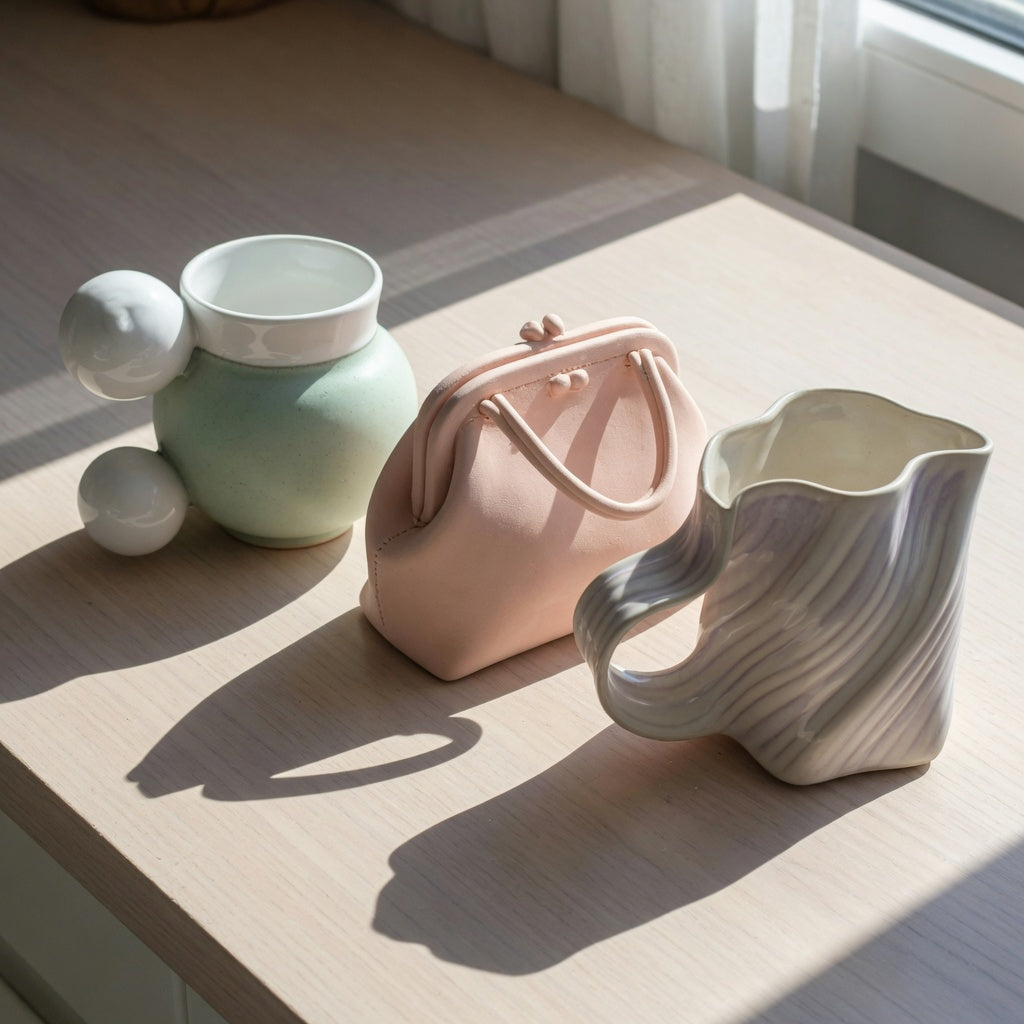
Unique Sculptural Mug Gift: What to Compare Before You Buy
A practical comparison of three sculptural forms — the 250 ml Ball Handle, 310 ml Handbag, and 400 ml Flow — covering capacity matching, grip trade-offs, storage fit, and the listing details to ver...
Read more
Unique Retro Mugs Gift for Coffee Lovers: What Buyers Should Compare
A store-floor comparison for gift buyers: new retro reproductions vs. true vintage for safety, capacity matched to the drink, microwave and dishwasher trade-offs, persona-based picks, and the exact...
Read more
Leave a comment
This site is protected by hCaptcha and the hCaptcha Privacy Policy and Terms of Service apply.